
Bettercap
The Swiss Army knife for WiFi, Bluetooth Low Energy, wireless HID hijacking and Ethernet networks reconnaissance and MITM attacks.
Installation
Section titled “Installation”Download newest release from Github.com
Install requirements
sudo apt update && sudo apt install build-essential libpcap-dev net-tools libnetfilter-queue-devUnzip newest release and move to
sudo cp bettercap /usr/local/binInstall caplet updates and UI, default credentials user:pass
sudo bettercap -eval "caplets.update; ui.update; quit"sudo bettercap [OPTIONS]Usage of bettercap:
-autostart string
Comma separated list of modules to auto start. (default "events.stream")
-caplet string
Read commands from this file and execute them in the interactive session.
-cpu-profile file
Write cpu profile file.
-debug
Print debug messages.
-env-file string
Load environment variables from this file if found, set to empty to disable environment persistence.
-eval string
Run one or more commands separated by ; in the interactive session, used to set variables via command line.
-gateway-override string
Use the provided IP address instead of the default gateway. If not specified or invalid, the default gateway will be used.
-iface string
Network interface to bind to, if empty the default interface will be auto selected.
-mem-profile file
Write memory profile to file.
-no-colors
Disable output color effects.
-no-history
Disable interactive session history file.
-silent
Suppress all logs which are not errors.
-version
Print the version and exit.Examples
Section titled “Examples”Start on active network interface
Section titled “Start on active network interface”sudo bettercapStart on specific network interface
Section titled “Start on specific network interface”sudo bettercap -iface <interface>ARP spoofing
Section titled “ARP spoofing”sudo bettercap
net.probe on
net.sniff on
http.proxy on
set arp.spoof.fullduplex true
arp.spoof onUse caplets
Section titled “Use caplets”sudo bettercap -caplet http-uiLocal network recon
Section titled “Local network recon”sudo bettercap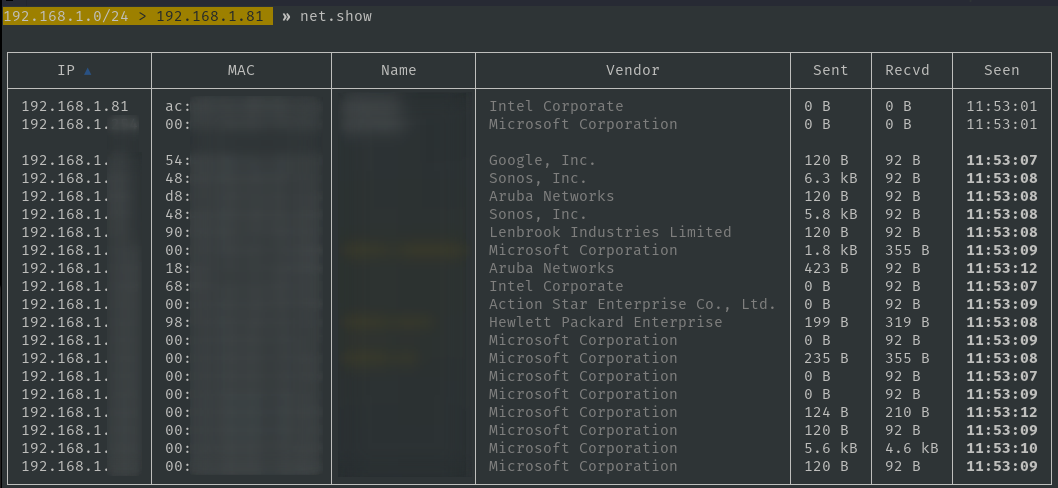
Wi-Fi network recon
Section titled “Wi-Fi network recon”sudo bettercap -iface <wifi-interface>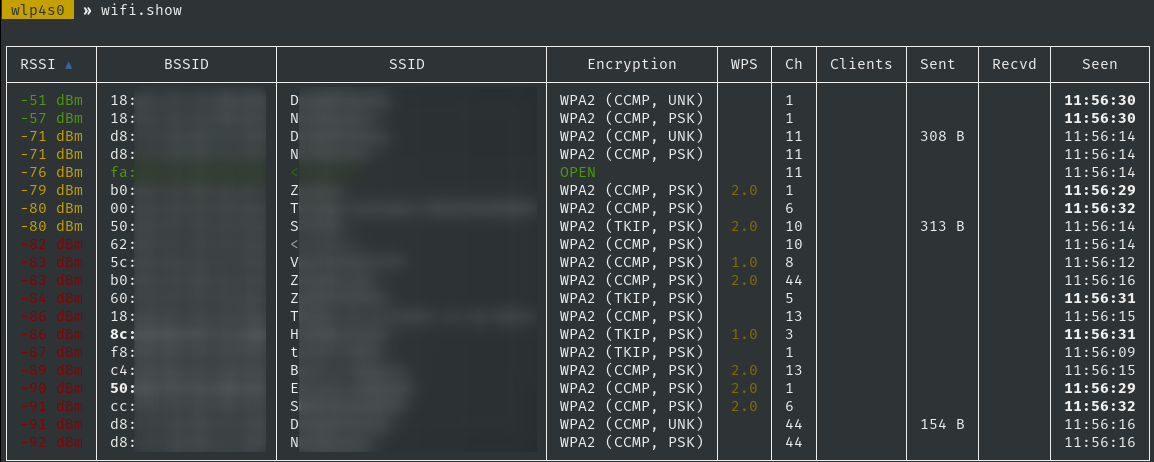
Capturing PMKIDs
Section titled “Capturing PMKIDs”This can also be done by the [hcxdumptool]({{< ref “hcxdumptool” >}})
bettercap v2.31.0 (built for linux arm with go1.16.2) [type 'help' for a list of commands]

 mon0  » wifi.recon on
[01:52:35] [sys.log] [inf] wifi using interface mon0 (b8:27:eb:63:d9:2e)
 mon0  » [01:52:35] [sys.log] [inf] wifi started (min rssi: -200 dBm)
 mon0  » [01:52:35] [sys.log] [inf] wifi channel hopper started.
 mon0  » [01:52:35] [wifi.ap.new] wifi access point OFFSEC-G (-66 dBm) detected as c8:12:34:56:78:e1 (Hewlett Packard Enterprise).

 mon0  » wifi.assoc c8:12:34:56:78:e1
 mon0  » [01:52:59] [sys.log] [inf] wifi sending association request to AP OFFSEC-G (channel:11 encryption:WPA2)
 mon0  » [01:52:59] [sys.log] [war] wifi error while hopping to channel 12: iw: out= err=exit status 234
 mon0  » [01:52:59] [wifi.client.handshake] captured b8:12:34:56:78:2e -> OFFSEC-G (c8:12:34:56:78:e1) RSN PMKID to /root/bettercap-wifi-handshakes.pcap
The /root/bettercap-wifi-handshakes.pcap file can be converted with [hcxpcapngtool]({{< ref “hcxpcapngtool” >}}) to [hashcat]({{< ref “hashcat” >}}) format.
Troubleshooting
Section titled “Troubleshooting”libpcap not found
Section titled “libpcap not found”sudo ln -s /usr/lib/x86_64-linux-gnu/libpcap.so /usr/lib/x86_64-linux-gnu/libpcap.so.1Kali web-ui 404-error
Section titled “Kali web-ui 404-error”bettercap
ui.update
cp -r /usr/local/share/bettercap/ui/ /usr/share/bettercap/ui/Kali web-ui 404-error Raspberry Pi
Section titled “Kali web-ui 404-error Raspberry Pi”Download newest release: https://github.com/bettercap/ui/releases
unzip ui.zip -d /usr/share/bettercap/Filter IP’s from Bettercap output
Section titled “Filter IP’s from Bettercap output”grep -oE "\b([0-9]{1,3}\.){3}[0-9]{1,3}\b" bettercap.log | sort -u > ip.txt